 SpeakerHub
For speaking clubs that meet online
Everyone sees the same meeting, on time.
SpeakerHub keeps a club's agenda, roles, speech timer and voting in one place, inside Zoom or in any browser. When the meeting ends, the record of it is already written.
No accounts for members or guests. Free while in early access.
How a meeting runs
One person moves the meeting on. Every screen follows.
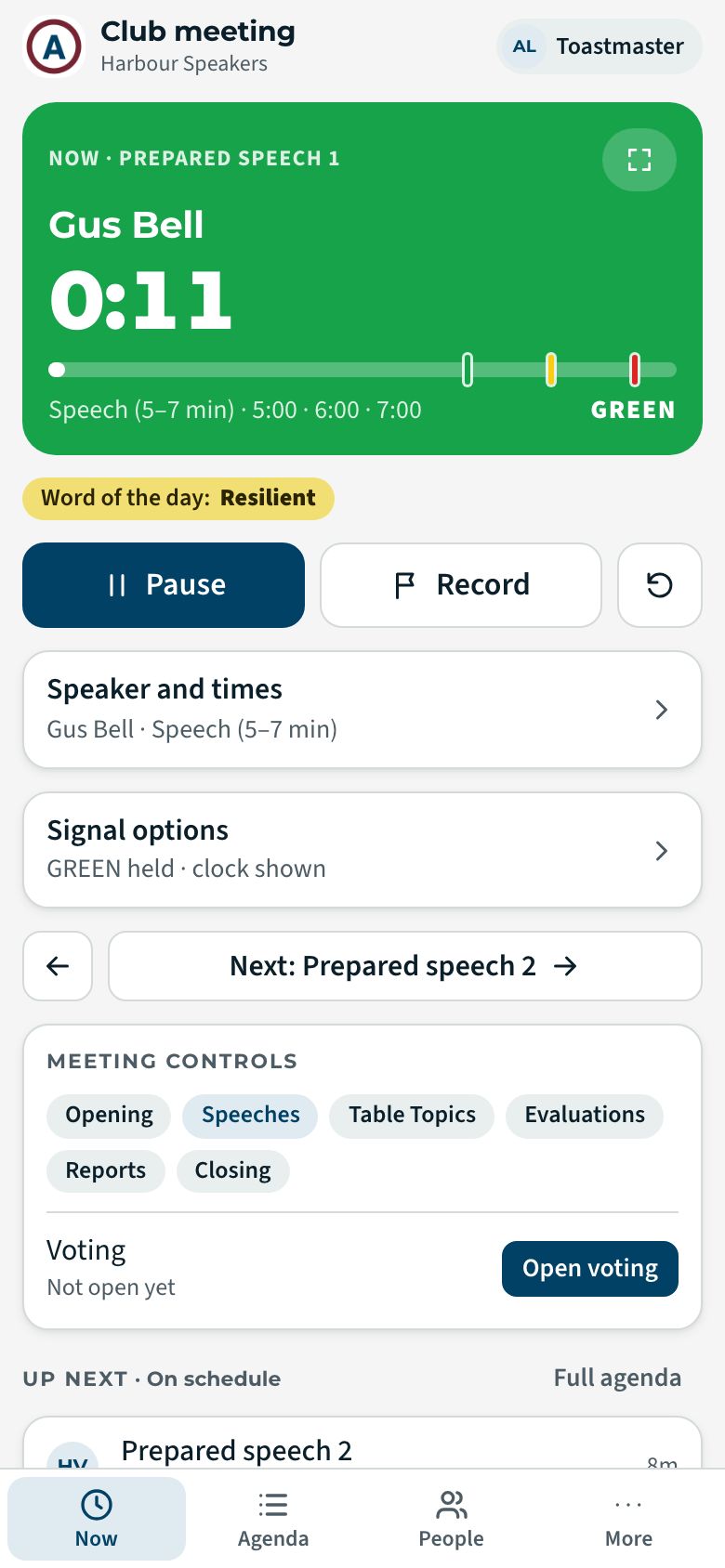
The host runs it
Start the timer, record the time, move to the next item, or jump to any part of the meeting.
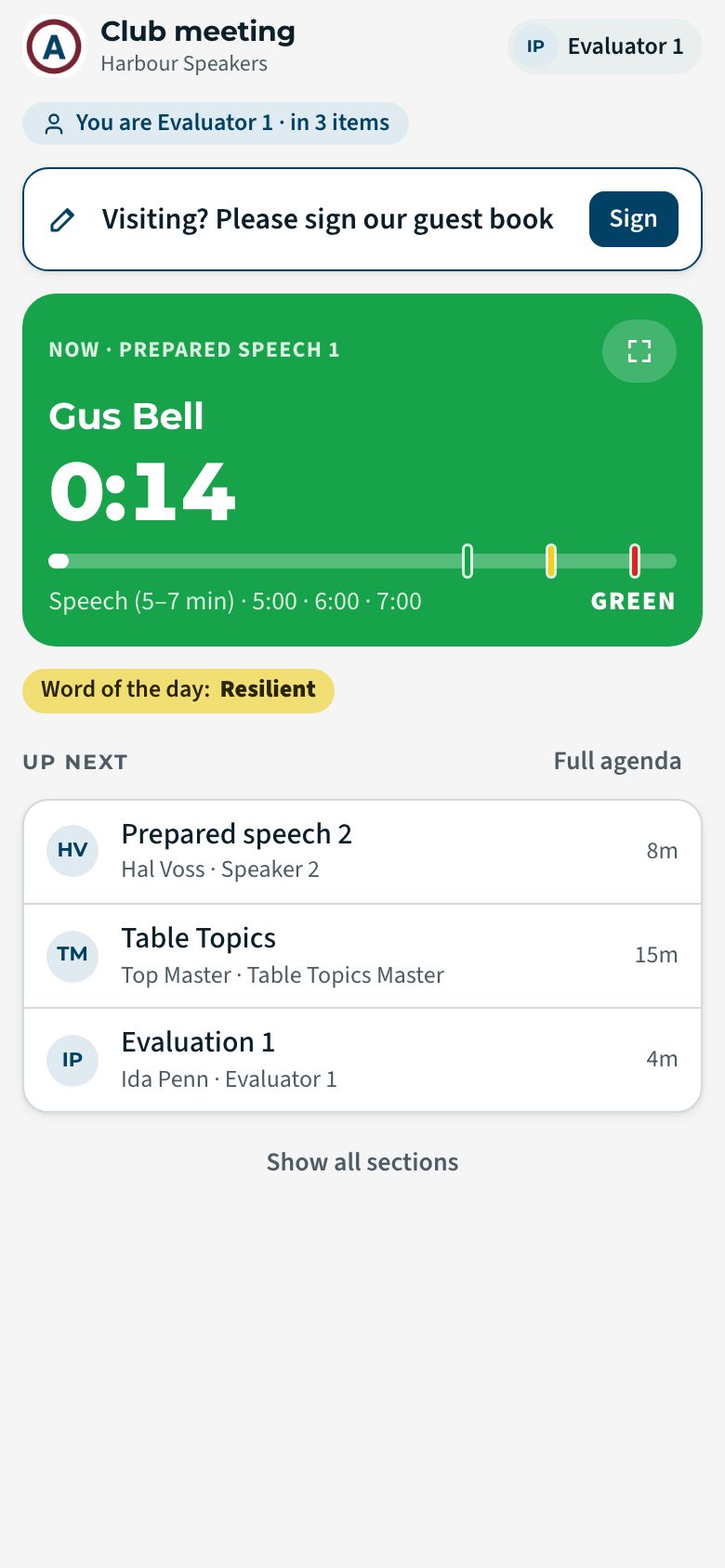
Everyone follows
Members and guests see who is speaking, the signal, what comes next, and when their own role is due.
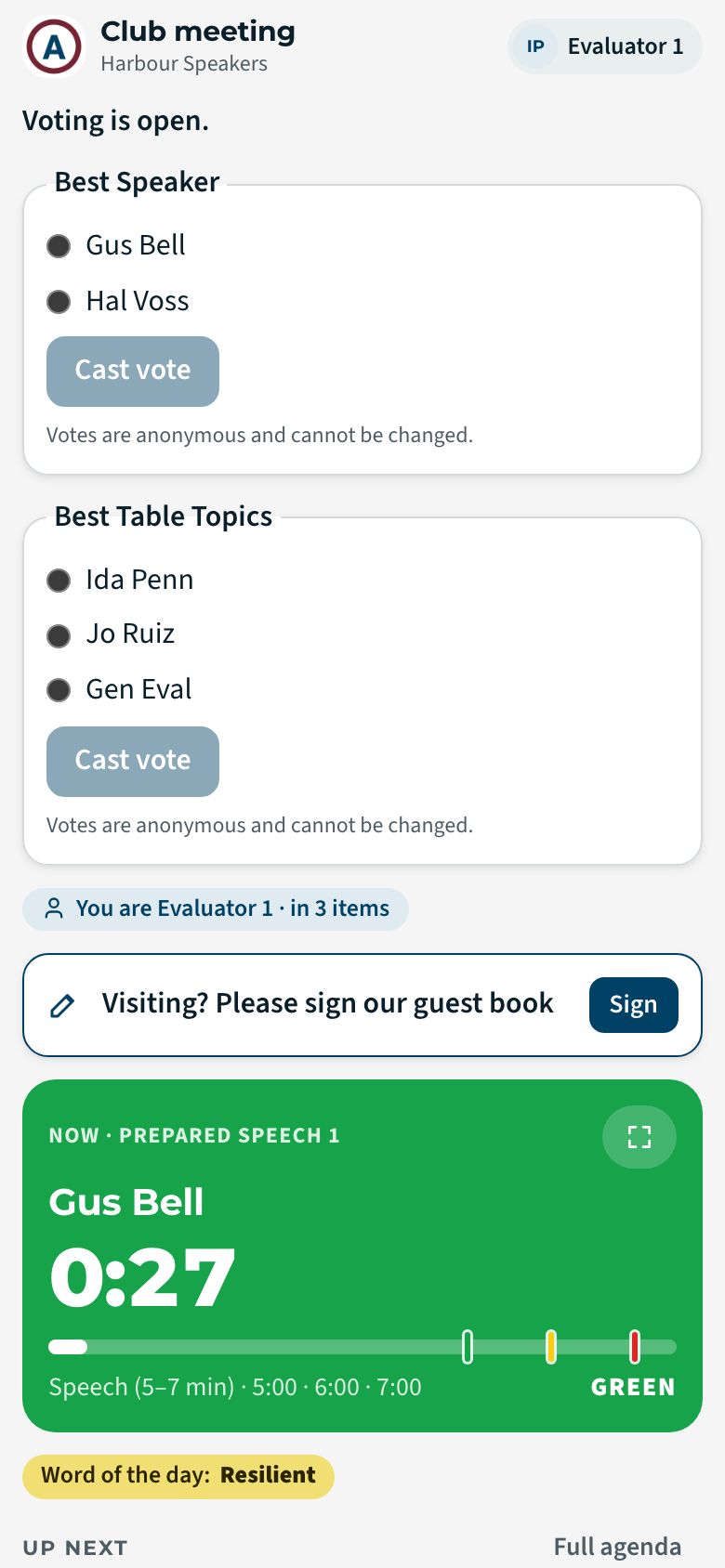
Members vote
The ballot appears on the same screen. Votes are anonymous, and results show when the host reveals them.
The signal
A timer speakers can actually see
Green, yellow and red change on their own, on every screen and on Zoom itself: as a badge at the top of the window and a coloured frame on the speaker's video. A club can choose to show the speaker the colours only, without the clock.
A screen for each role
Each person gets the tools for their job, and nothing else
Toastmaster of the Day
Moves the agenda on, sees whether the meeting is running to time, opens voting, and invites people to open the app.
Timer
Starts, stops and records each speech. The report writes itself.
Ah-Counter and Grammarian
A counter for each speaker, the word of the day and who used it, and notes to read out.
General Evaluator
Notes against each part of the meeting, ready for the report.
Table Topics Master
Picks a topic and a speaker, and keeps track of who has already spoken.
Guests
Follow along from a link, with nothing to install, and sign the guest book for the officers.
Before and after
The work around the meeting, too
Plan the season
Create a run of meetings from the club's own agenda template, and fill the roles as people volunteer.
Invite people
A link that shows a card with the club, date and theme wherever it is pasted, an agenda booklet, and images to post.
A record of every meeting
Who spoke and for how long, who held each role, who attended, and the awards. Members can look back over their own history.
SpeakerHub works beside the club's own website and membership tools. It does not replace them.
Three ways in
Start from where you are
- Members and guests
Join your club's meeting
Open the meeting link your club sent. Nothing to install, and no account.
How to join - Hosts
Add it to Zoom
Run the meeting from a panel beside your Zoom window, with the signal on Zoom itself.
How to add it - Club officers
Bring your club
New clubs are set up by invitation while SpeakerHub is in early access.
Ask for an invitation
Questions
Good to know
Do members need an account?
No. Members and guests open a link and choose their name. Only the people who look after the club's settings need more than that.
Does everyone need the Zoom app?
No. The same meeting is at a web address that works in any browser and on a phone. The panel inside Zoom is a convenience for people who want it there.
What does it cost?
Nothing while it is in early access. If that changes, clubs are told at least thirty days beforehand.
What does it keep about people?
What a meeting needs: names, roles, speech times, attendance and results. It does not record or keep audio, video or chat. The privacy page has the full list.
Is this an official Toastmasters product?
No. SpeakerHub is made by Aquila Maris and is not affiliated with, or endorsed by, Toastmasters International. It is built for clubs that run meetings in that style.
Try it at your next meeting
SpeakerHub is in use by one club while it is being finished, and is free during this period.